
 Shopping Guide
 HELP / FAQs


 By onemall
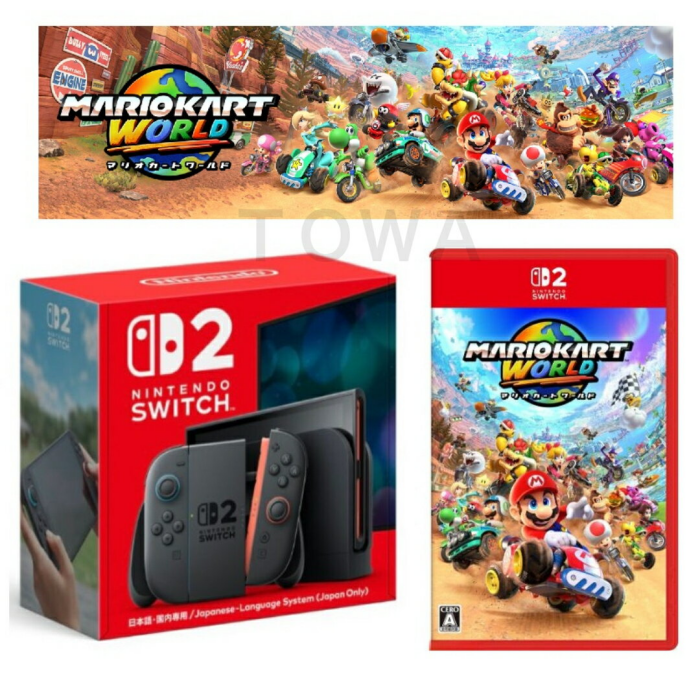
Nintendo Switch 2 Console
If you’re a gaming enthusiast, you’ve probably heard the buzz about the Nintendo Switch 2. But here’s the catch: getting your hands on the latest tech from that country isn’t always easy if you’re outside of it. That’s where a proxy service comes in handy. In this guide, I’ll walk you through everything you need to know about buying a Switch 2 from a shop based there, topping up your account, and making the most of OneMall – Japanese Proxy Service | Buy from Japan!
TL;DR
As of August 2026, the easiest way to buy a Nintendo Switch 2 from Japan is through a proxy service: you search a Japanese shop, the proxy buys and forwards it worldwide, and handles customs. OneMall lets you order in English, consolidate packages free for 90 days (30 days after consolidation), and buy Japanese eShop cards[1].
- Japan, Nintendo’s home market, gets the Switch 2 first, with exclusive editions and bundles.[1]
- A proxy buys from shops that don’t ship internationally and forwards to you.
- OneMall’s commission is a flat ¥300 per item, with free consolidation on your first 6 orders (then ¥100 per extra order) with 90-day free consolidation.
- Region-matched digital purchases need a Japanese eShop card.
Why Buy the Switch 2 from There?
The country is often ahead of the curve when it comes to gaming. The Switch 2 is no exception—it’s packed with new features, exclusive games, and accessories you might not find elsewhere. But shops based there often don’t ship internationally, and language barriers can complicate things. That’s where a proxy service steps in.
What is a Buy Proxy or Proxy Service?
A buy proxy is a service that helps you purchase products from shops in that country and ships them to your location. Think of it as your personal shopper there. You tell them what you want, they buy it for you, and then forward it to your address. There are many reliable options out there.
Step-by-Step: How to Buy Switch 2 Using OneMall
1. Search for the Switch 2
Head over to OneMall and use their search function to look for “Switch 2” or related accessories. You’ll find everything from the console itself to exclusive bundles and limited-edition items.
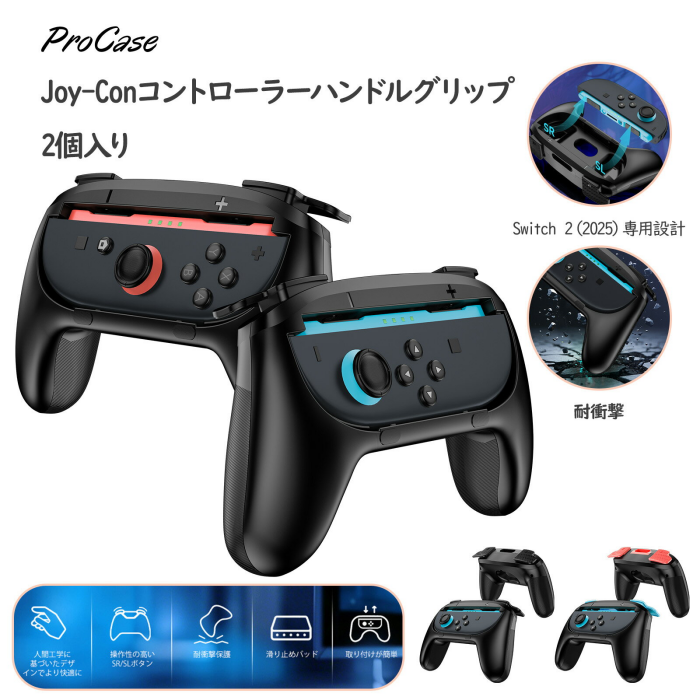
Switch 2 Accessories
2. Place Your Order
Once you’ve found your dream Switch 2, add it to your cart. The interface is user-friendly, and you can even use AI image search to find exactly what you want. If you’re unsure about a product, their customer service is very helpful.
3. Payment and Shipping
The platform consolidates your packages for free for up to 90 days (30 days after consolidation), which is great if you want to buy multiple items. They offer various payment methods, and you can calculate shipping costs in advance. Plus, they’ll handle all the paperwork and customs for you.
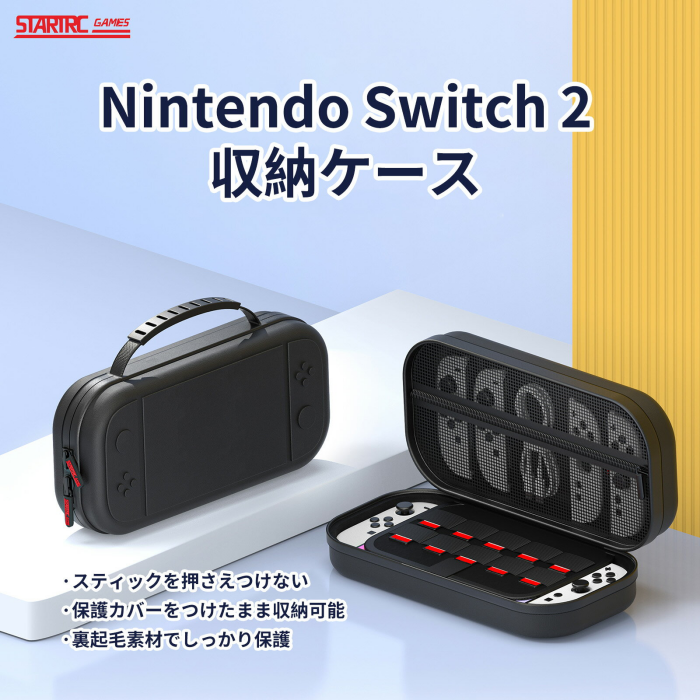
Switch 2 Case
4. How to Top Up Switch 2
If you want to buy digital games or subscriptions for your Switch 2, you’ll need to top up your account. eShop cards from there are often required, and you can purchase these through the service as well. Just search for “Nintendo eShop card” and follow the instructions to receive your code.
5. Enjoy Your New Console!
Once your Switch 2 arrives, set it up and dive into the world of gaming from there. Don’t forget to check out exclusive games and accessories only available there.
Ways to Buy a Switch 2 from Japan
| Method | Ships worldwide? | English support | Handles customs |
|---|---|---|---|
| Proxy service (OneMall) | Yes | Yes | Yes |
| Direct from a Japanese shop | Usually no | Rare | No |
| Local importer/reseller | Varies | Yes | Included, often at a markup |
Frequently Asked Questions
Why buy the Switch 2 from Japan?
Japan is Nintendo’s home market[1], so consoles, special editions and accessories launch there first and are sometimes exclusive.
How much does a proxy service cost?
With OneMall the buying commission is a flat ¥300 per item — the first 6 orders are free, then ¥100/order — plus actual product and international shipping costs.
Can I buy digital games?
Yes. Buy a Japanese Nintendo eShop card through the proxy, redeem the code, and top up your account.
Will I be charged customs duty?
Possibly — the US $800 de minimis exemption was revoked on 2025-08-29[2], so verify your country’s import rules.
How does shipping work?
The proxy consolidates items into one package (free up to 90 days (30 days after consolidation) on OneMall) and handles the paperwork; Japan Post resumed overseas services on 2026-04-14[3].
References
Last updated: 2026-08-05.